
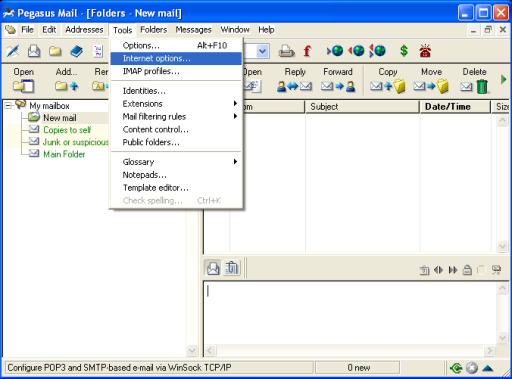
Launch the Pegasus Mail program on your desktop then select the menu bar item labeled "Tools". This will cause the tool menu to drop down and you will see a submenu item called "Internet Options". Select the "Internet Options" submenu item.
Next: Start the Pegasus Setup Wizard
Prev: Pegasus Mail POP3 Configuration Wizard Index